Honda Accord Key Fob Battery — Type & 2-Minute Replacement
Honda's owner's manuals list a CR1616 for the 2003–2012 Accord remote. For 2013–2017, the plain remote takes a CR1620 and the smart entry remote (push-button start) takes a CR2032. From 2018 the remote takes a CR2032. To be sure, open the fob and read the number printed on the old cell. The swap takes about two minutes and does not require any reprogramming.
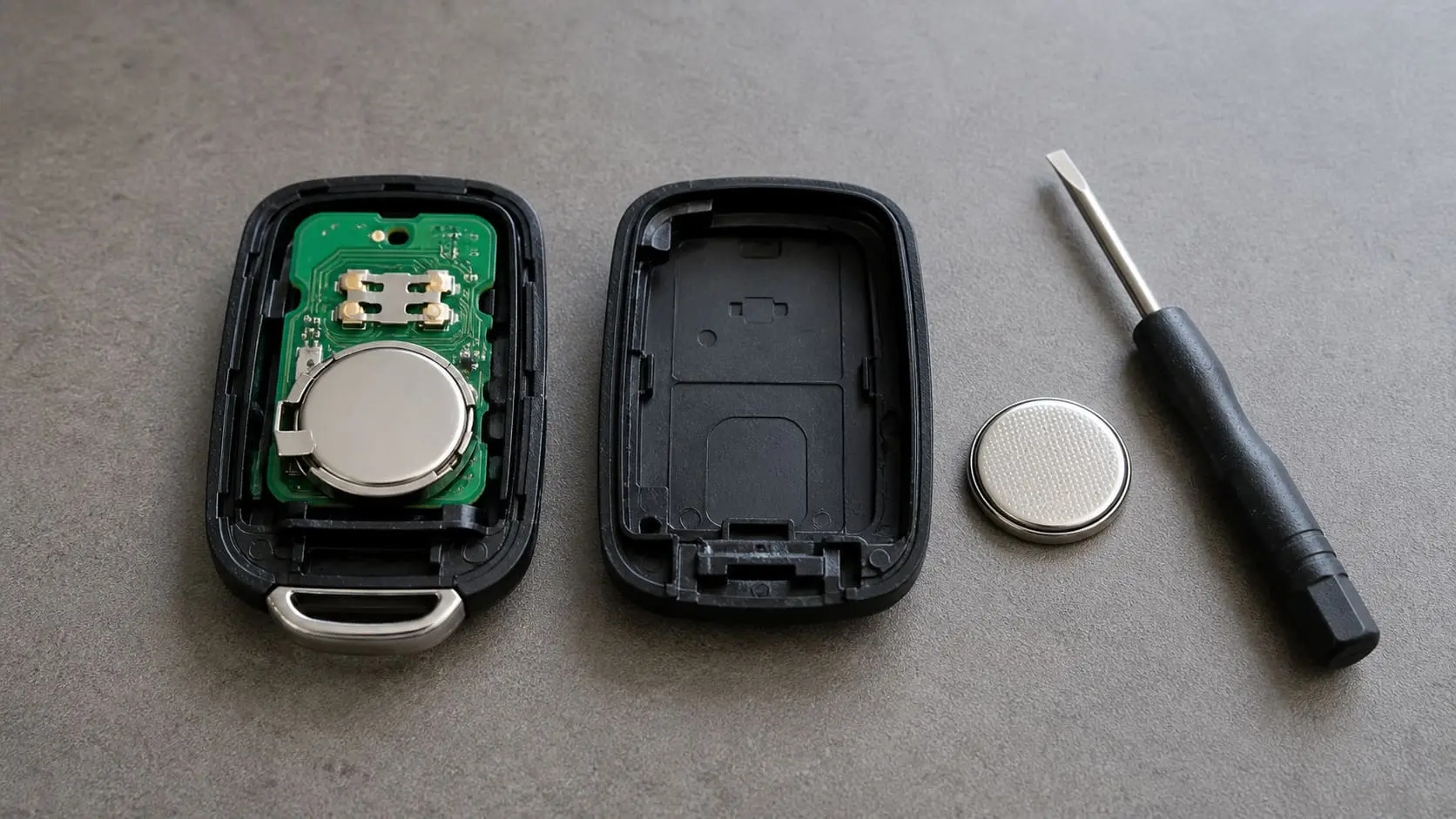
Which battery does my Accord key fob take?
Honda prints the battery type in each year’s owner’s manual. We read the Accord manuals for 2003, 2005–2014 and 2016–2023; the 2004 and 2015 manuals weren’t available, so check those cells directly.
| Model years | Remote (Honda’s name) | Coin cell |
|---|---|---|
| 2003–2012 | Remote transmitter | CR1616 |
| 2013–2017 | Remote transmitter (cars without smart entry) | CR1620 |
| 2013–2017 | Smart entry remote (push-button start; not on all models) | CR2032 |
| 2018–2023 | Remote | CR2032 |
The printed code on the dead cell is the final word. CR2032 / CR1620 / CR1616 are all 3V lithium coin cells but different thicknesses — the last two digits are millimetres of height (2032 = 3.2 mm, 1620 = 2.0 mm, 1616 = 1.6 mm). Using the wrong thickness means a loose or crushed fit, so match the number exactly.
Replacing a remote transmitter (CR1616 / CR1620)
- Find the seam or screw. Many flip keys have a small Phillips screw near the keyring loop; others just split along a seam.
- Open the shell. Remove the screw (if present) and gently pry the halves apart at the seam.
- Pop out the circuit module if needed to reach the cell, note the orientation, and swap in the matching cell: CR1616 for 2003–2012, CR1620 for 2013–2017.
- Reassemble, replace the screw, and test.
Do I need to reprogram the fob after changing the battery?
No. The fob’s transponder ID is stored on its circuit board, not the battery — so swapping the coin cell doesn’t erase anything. Your remote keeps working immediately. (Reprogramming is only needed when you buy a brand-new fob or one is lost — that’s a different job.)
My fob still doesn’t work after a new battery — now what?
- Re-seat the cell — the most common miss. Make sure it’s the correct side up and fully under the clip.
- Check you used the right cell (and that the new one isn’t a dud from an old multipack).
- Clean the contacts — a tiny bit of corrosion or a fingerprint’s oil can break contact; wipe with a dry cloth.
- Try the buttons up close — if it works at 1 foot and not at 20, the fob may be failing, not the battery.
- Use the mechanical key / push-to-start backup — a dead fob still starts the car: hold the fob against the start button (smart key) or use the hidden blade to unlock. If nothing works after a known-good battery, the fob itself or the car’s receiver may need a dealer/locksmith.
What to buy
You only need a 3V lithium coin cell in the right size — any major brand (Energizer, Duracell, Panasonic, Sony/Murata) is fine. Multipacks are the best value since you’ll do this again (and other remotes around the house use the same cells).
- CR2032 (2013–2017 smart entry remote, 2018–2023 remote): shop CR2032 on Amazon →
- CR1620 (2013–2017 remote without smart entry): shop CR1620 on Amazon →
- CR1616 (2003–2012 remote): shop CR1616 on Amazon →
If the problem turns out to be the car’s battery (engine won’t crank, not just the remote), see the main Honda Accord battery guide, the battery replacement guide, and the best battery picks.
Replace a smart key battery (CR2032) — 2-minute steps
For a CR2032 smart entry remote (2013–2017) or a 2018–2023 remote, here’s the swap, start to finish:
- Slide out the emergency key — press the small release latch on the back and pull the metal blade free.
- Split the case: insert the metal blade (or a coin or plastic pry tool) into the seam where the blade came out and gently twist — don't pry sideways. The two halves pop apart.
- Note which way the old cell sits before you lift it out — Honda's manual only says to fit the new one with the correct polarity, so copy what you saw.
- Drop in the new CR2032 the same way (correct side up), pressing it under the retaining clip until it's flush.
- Snap the case shut, reinsert the emergency blade, and test all the buttons from a few feet away.